
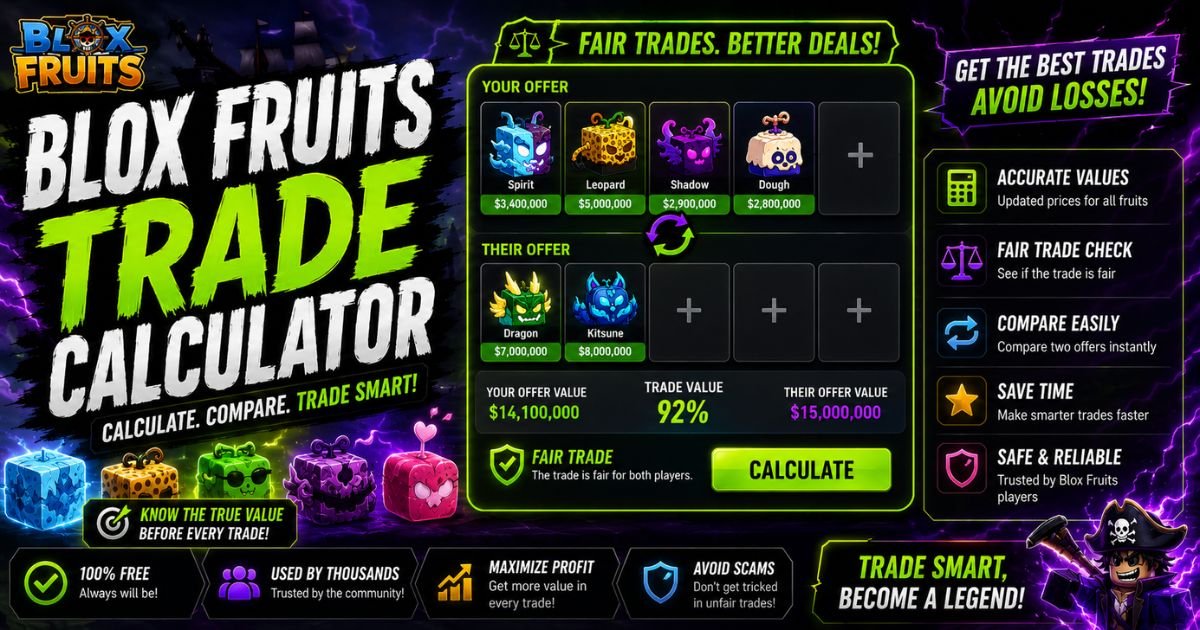
Blox Fruits TradeScope Calculator
Compare up to four physical or permanent fruits on each side and check value, demand, percentage difference, risk and a clear W/F/L result.
Embedded community market snapshot updated 27 July 2026. Primary value reference: TradeKitsune. Values are community estimates, not official Roblox prices.
Your Offer
Their Offer
What Is the Blox Fruits Trade Calculator?
The Blox Fruits Trade Calculator is a decision-making tool that compares both sides of a trade. You select the physical or permanent fruits included in your offer, add the fruits offered by the other player and let the calculator analyse the complete deal.
A basic calculator normally adds the listed values and displays which side has the larger total. That information is useful, but it does not explain whether the fruits are easy to trade again. A bundle of low-demand fruits may have the same numerical value as one popular fruit, yet the popular fruit may receive better offers and sell much faster.
TradeScope considers the raw value difference first. It then examines weighted demand, current trend, source agreement and value concentration. The result tells you whether the trade is a clear Win, a small advantage, Fair, a small Loss or a major Loss.
The calculator supports up to four fruits on each side, matching the four-item limit used in the Blox Fruits trading system.
How to Use the Blox Fruits Trade Calculator
Start with the Your Offer section. Click an empty slot and select the fruit you are giving. Choose the correct version because physical and permanent fruits have separate values. Repeat this process until every item from your side has been entered.
Next, move to the You Receive section and add every fruit being offered by the other player. Do not calculate the trade until both sides exactly match what appears inside the in-game trading window.
You can then choose between two calculation modes:
| Calculator mode | Best use |
|---|---|
| Strict Value | Compares both sides mainly through their current reference values |
| Demand-Aware | Adds limited demand and market-trend adjustments to the value result |
Strict Value is useful when you want a simple mathematical comparison. Demand-Aware mode is better when you are deciding whether the fruits you receive will be easy to trade again.
After adding both sides, review the verdict, percentage difference, demand score, confidence level and risk warnings. The counter-offer section also estimates how much additional value you should request when the offer is below fair.
How the W/F/L Result Is Calculated
The calculator begins by adding the current reference value of every selected fruit. Physical and permanent values are stored separately, so Permanent Kitsune is not treated like an ordinary physical Kitsune.
It then calculates the percentage difference between your total and the receiving total. A trade within approximately three percent is treated as Fair. A small difference may produce a Small Win or Small Loss, while a larger difference creates a clearer Win or Loss result.
Demand-Aware mode makes a controlled adjustment rather than replacing the value calculation. Demand can influence the verdict by no more than four percentage points, while the current market trend can influence it by no more than 1.5 percentage points. This prevents one high-demand rating from turning a major overpayment into a false Win.
The result panel includes several signals:
| Result signal | What it explains |
|---|---|
| Trade value | Estimated total value on each side |
| Percentage difference | The size of your gain or overpayment |
| Weighted demand | Demand based on the value of selected fruits |
| Trade score | Overall result displayed from 0 to 100 |
| Confidence | Agreement between available public value sources |
| Concentration risk | Whether one fruit controls most of the trade |
| Counter-offer target | Estimated additional value needed |
No calculator can guarantee that another player will accept the result. Trading decisions still depend on personal goals and current market behaviour.
Physical Fruits vs Permanent Fruits
A physical fruit is a stored item that can be traded, consumed or kept in your inventory. Once it is eaten, that specific stored fruit is used. A permanent fruit provides permanent account access after redemption, allowing the player to switch back to that fruit later.
Permanent fruits are normally valued much higher because they provide lasting utility and are connected to a Robux purchase. Public value platforms therefore maintain separate physical and permanent values instead of applying one number to both versions.
| Feature | Physical fruit | Permanent fruit |
|---|---|---|
| Usage | One stored fruit can be consumed | Permanent access after redemption |
| Acquisition | Gameplay, dealer, storage or trade | Usually purchased using Robux |
| Trade value | Usually lower | Usually significantly higher |
| Calculator option | Select Physical | Select Permanent |
| Main risk | Demand may fall | High overpayment or wrong item type |
Always confirm that a permanent fruit is stored and tradeable. A permanent fruit that has already been redeemed is not the same as an unused stored permanent item offered inside a trade.
Practical Tool Testing and Realistic Trade Scenarios
The examples below use the GameValueHub calculator data snapshot dated 27 July 2026. These are community reference values, not official prices. Market values may change after publication.
| Scenario | You give | You receive | Raw result |
|---|---|---|---|
| Clear Win | Yeti, 137.25M | Control, 162M and Portal, 10M | About 22.5% value advantage |
| Equal value, different demand | Tiger, 146.25M | Yeti, Shadow and Sound, 146.25M total | Equal raw value |
| Risky downgrade | Kitsune, 540M | Control, Tiger, Yeti and Gas, 517.5M total | About 4.3% value loss |
In the first example, the receiving side provides 34.75M more value and contains strong-demand fruits. The result is a clear Win according to the current dataset.
The second example is more complicated. Both sides have exactly the same total value, but Tiger has stronger demand than the complete receiving bundle. A basic calculator may call it perfectly Fair. Demand-Aware mode warns that you are replacing one easier-to-trade fruit with several weaker items.
The third trade looks close because the totals are separated by only 22.5M. However, you are giving one highly demanded Kitsune and receiving four separate fruits. This is a downgrade, reduces your available trade slots and may require several future trades to rebuild the same liquidity. A small percentage difference does not automatically make it a smart deal.
Common Blox Fruits Trading Mistakes
One of the most common mistakes is confusing in-game Beli price with community trading value. The game uses dealer prices when checking its trade restrictions, while players use community demand and market value to judge whether an offer is worthwhile.
Blox Fruits normally applies a maximum in-game price difference between both sides, although eligible shop items can change or bypass this restriction. A trade being allowed by the game does not mean that it is fair according to the player market.
| Common mistake | Better approach |
|---|---|
| Checking only the total value | Review demand, percentage and trade risk |
| Accepting several unwanted fruits | Confirm that every fruit can be traded again |
| Mixing physical and permanent values | Select the correct version for every item |
| Trusting one value source completely | Review the confidence indicator |
| Accepting update hype immediately | Wait for market behaviour to stabilise |
| Ignoring the final trade window | Recheck every item before confirming |
Another mistake is accepting a bundle because it contains more fruits. Quantity does not equal quality. Four weak items can take more storage, attract fewer offers and make the next upgrade more difficult.
Smart Trading Strategies for Better Results
An upgrade means trading several smaller fruits for one stronger or more liquid fruit. Players may accept a small overpayment when upgrading because the resulting fruit is easier to store and use in future negotiations.
A downgrade means exchanging one expensive fruit for several smaller items. When accepting a downgrade, you should normally expect extra total value. You are taking more items, more demand risk and more work before you can complete another major trade.
Demand should also influence your counter-offer. Suppose the calculator says you need 10M more value. Asking for a high-demand Portal or Buddha may be more useful than accepting a low-demand fruit with the same listed value. The number may be equal, but the future trading opportunity is different.
You should also check value concentration. When one fruit represents more than 80 percent of a side, the result depends heavily on that item. If its demand falls after an update, most of the trade value can fall with it.
For valuable trades, calculate the offer twice. First use Strict Value mode to understand the mathematical difference. Then use Demand-Aware mode to see whether demand and market direction change the practical decision.
Advanced Insights About Market Confidence
There is no single official Blox Fruits community value list. Even established value platforms can disagree significantly. For example, current public pages have displayed different values for Dragon West, Kitsune, Tiger and other high-tier fruits.
This disagreement does not always mean one website is intentionally wrong. A platform may use active offers, another may analyse completed trades and another may combine community feedback with manual research. Update times can also be different.
The confidence score in TradeScope measures how closely the available reference values agree. High confidence means the sources are relatively close. Medium confidence means some disagreement exists. Low confidence warns that you should perform additional research before completing the trade.
Market confidence matters most for expensive, limited or rapidly changing items. A ten percent source difference on a small fruit may not affect your decision. The same percentage on a multi-billion-value fruit can completely change the W/F/L result.
Treat the calculator as a strong decision tool, not an official price guarantee.
Trading Safety and Calculator Limitations
Never share your Roblox password, browser cookies, verification codes or recovery information to check a trade. GameValueHub does not need access to your Roblox account. You only select the items included in the offer.
Before confirming, check the complete trade window again. Make sure the other player has not removed an important fruit, replaced a permanent version with a physical version or changed the offer while you were discussing the deal.
Avoid agreements where someone promises to send Robux, gift a permanent fruit later or complete the remaining payment outside the trade. A calculator can analyse the items entered into it, but it cannot protect you from an off-platform promise that is not part of the visible trade.
Values can also become outdated. Check the data date shown inside the tool and use extra caution after a new fruit, rework, update or major demand change.
Conclusion
The Blox Fruits Trade Calculator gives you a clearer way to judge offers without relying only on guesses or one value total. Add the correct physical or permanent fruits, compare both modes and review the percentage difference, demand, confidence and risk warnings.
A strong trade should give you fair value and useful items that can be traded again. Do not accept a numerical Win when the receiving fruits have poor demand, and do not reject every small overpayment when it helps you complete a valuable upgrade. Use the calculator as evidence, then make the final decision based on your goals and the current market.
FAQs
Is the Blox Fruits Trade Calculator accurate?
The calculator uses researched community values, demand and market signals. It provides a detailed estimate, but values are not official and can change between updates, servers and trading communities.
What does W/F/L mean in Blox Fruits?
W means Win, F means Fair and L means Loss. The result compares the estimated value of the fruits you give with the value of the fruits you receive.
Why do different calculators show different values?
Different platforms use different market sources, update schedules and valuation methods. Some track offers and requests, while others use community feedback or manual market research.
Does demand matter more than trade value?
Demand does not completely replace value, but it affects how easily a fruit can be traded again. A slightly cheaper high-demand fruit may be more useful than an unwanted expensive fruit.
Can I compare permanent and physical fruits?
Yes. Select the correct variant for every fruit. Permanent and physical fruits have separate values because their acquisition method and long-term utility are different.
What is a fair trade percentage?
TradeScope treats a difference of approximately three percent or less as Fair. Small differences outside that range may be classified as a Small Win or Small Loss.
What is an upgrade trade?
An upgrade happens when you exchange several smaller fruits for one stronger fruit. A small overpayment may be reasonable when the new fruit has better demand and liquidity.
What is a downgrade trade?
A downgrade happens when one valuable fruit is exchanged for several smaller fruits. You should normally request extra value because you are accepting more items and more trading risk.
Why does the game reject a calculator-approved trade?
The game checks its own dealer-price difference rules. The calculator analyses community trading value, which is different from the in-game Beli price used by the trading system.
How often should I check updated values?
Check values before every expensive trade and after important updates or fruit reworks. Always review the date and confidence information shown inside the calculator.
